


|
Name |
OneGlass 8 |
|---|---|
|
Google Play Link |
GET IT ON
Google Play
|
|
Category |
Personalization |
|
Developer |
Eatos |
| Last version | 1.3.8 |
|
Updated |
|
|
Compatible with |
Android 7.0+ |
What is OneGlass 8 APK?
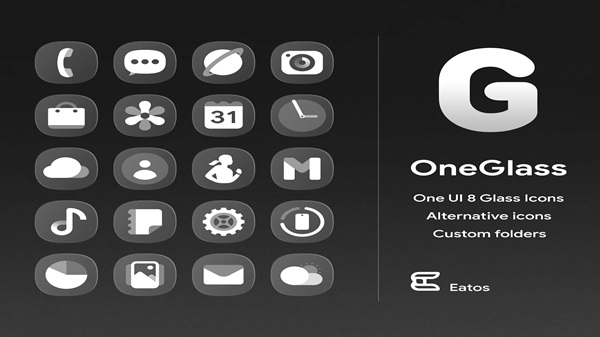
OneGlass 8 is a mobile personalization app for Android, known for its transparent, glass-like icon designs and clean home screen aesthetics. Rather than changing the system's layout or functions, it focuses on transforming the look of your device through custom icons and wallpapers. It works smoothly with a wide range of third-party launchers and is also adaptable for Samsung users via the Good Lock and Theme Park tools.
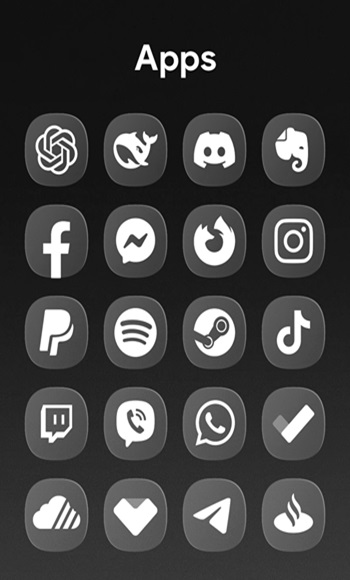
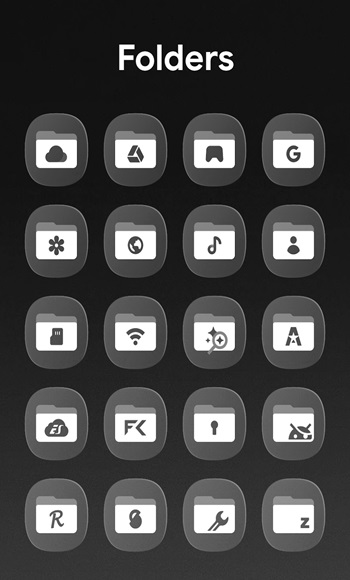
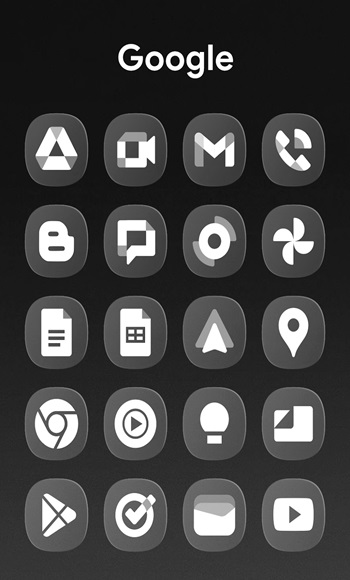
The main appeal of the app is its cohesive visual style. With more than 4,000 semi-transparent icons and 32 wallpapers included, everything feels purposefully designed to match. The icons feature a frosted glass effect, giving your phone a modern, minimal, and slightly futuristic vibe. It’s especially striking on dark or gradient-style backgrounds where the transparency really stands out.
Functionality-wise, OneGlass 8 goes beyond static design. It includes dynamic calendar support, meaning the date updates automatically on the calendar icon. This might seem minor, but for people who value detail and utility, it's a nice touch that keeps the interface feeling current and alive. You also get alternative icon options for major apps, so you can fine tune your home screen style even further.
OneGlass 8 is versatile when it comes to compatibility. It works with Nova Launcher, Hyperion, Smart Launcher, and more. Samsung users aren’t left out they can apply the icons using Good Lock paired with Theme Park, making it fully usable within One UI. The setup may take a few extra steps, but the result is seamless integration with your phone’s theme engine.
A small downside is that some icons might feel too subtle depending on your background image. A few niche apps may not be included in the default set, though users can request new icons and the developer tends to release updates regularly. Overall, while there's a learning curve for applying the theme on Samsung, most users find the visual payoff worth the effort.
This app is ideal for people who appreciate clean, elegant aesthetics on their device without the clutter. It suits minimalists, design-focused users, or anyone looking to refresh their Android interface without overhauling functionality. Whether you're customizing a brand new phone or just bored of your current look, OneGlass 8 helps you reset your visual space with precision and polish.
FAQs OneGlass 8
What is OneGlass 8?
+
OneGlass 8 is a mobile app for Android that replaces your default app icons with minimalist, semi-transparent glass-style icons and matching wallpapers.
How do I apply OneGlass 8 icons on Samsung phones?
+
Samsung users need to install Good Lock and Theme Park from the Galaxy Store to apply OneGlass 8 through their system's theme tools.
Can I use OneGlass 8 with Nova Launcher?
+
Yes, OneGlass 8 works well with Nova Launcher and other third-party launchers like Hyperion, Smart, and Apex.
Are all apps covered in the OneGlass 8 icon pack?
+
It includes over 4,000 icons, but some niche apps might not be covered. You can request missing icons from the developer.
Does OneGlass 8 support dynamic calendar icons?
+
Yes, the calendar icon updates automatically to reflect the current date, adding a practical touch to the visual design.
Discover More Interesting Apps
-
 Mod
Mod
WallsPy Interactive Wallpapers
v5.8.1
38.38 Mb
Updated -
Mod
Lumos
v1.2.7
36 MB
Updated -
Mod
Always On Edge
v9.7.9
8.10 Mb
Updated -
Icon Pack Studio
v2.5 build 001
60.24 Mb
Updated -
App Mayor
v2.3.0
62.36 Mb
Updated -
Mod
Screen Color Filter
v6.16.2
22.99 Mb
Updated -
Mod
Niagara Launcher
v1.16.33
13.46 Mb
Updated -
Mod
Parallel Space
v4.0.9620
57.80 Mb
Updated -
Glassify Icon Pack
v3.0.1
151.00 Mb
Updated -
Smart Launcher Pro
v6.6 build 023
22.74 Mb
Updated








Share Your Thoughts